In this post, I’ll demonstrate how to automate unit testing for SAP Fiori applications using an AI agent. The goal is simple: an agent reads a functional specification (Word document), extracts the test cases, executes them against a live system, and generates a comprehensive test report with screenshots.
Tools Required
- ✅ AI Agent: Claude Code (or similar)
- ✅ MCP Server: playwright for browser automation
- ✅ Agent Skills: abap-skills for specialized SAP tasks
Step 1: Install Claude Code
Claude Code is an agentic coding tool that lives in your terminal. It understands your codebase and helps you code faster through natural language commands.
Prerequisites: Ensure you have Node.js 18+ installed on your machine.
Install Claude Code globally using npm:
1
npm install -g @anthropic-ai/claude-code
You can install other ways Claude Code overview
Launch Claude Code by running:
1
claude
Authenticate with your Anthropic account when prompted. You’ll need an active subscription or API access.
Navigate to your project directory and start coding with Claude!
Step 2: Install Playwright MCP
Playwright MCP enables browser automation capabilities, allowing Claude to interact with web applications like SAP Fiori for testing purposes.
Add Playwright MCP to your Claude Code configuration. Use the Claude Code CLI to add the Playwright MCP server:
1
claude mcp add playwright npx @playwright/mcp@latest
Verify installation by asking Claude to open a browser and navigate to a website.
Step 3: Install Claude Skills
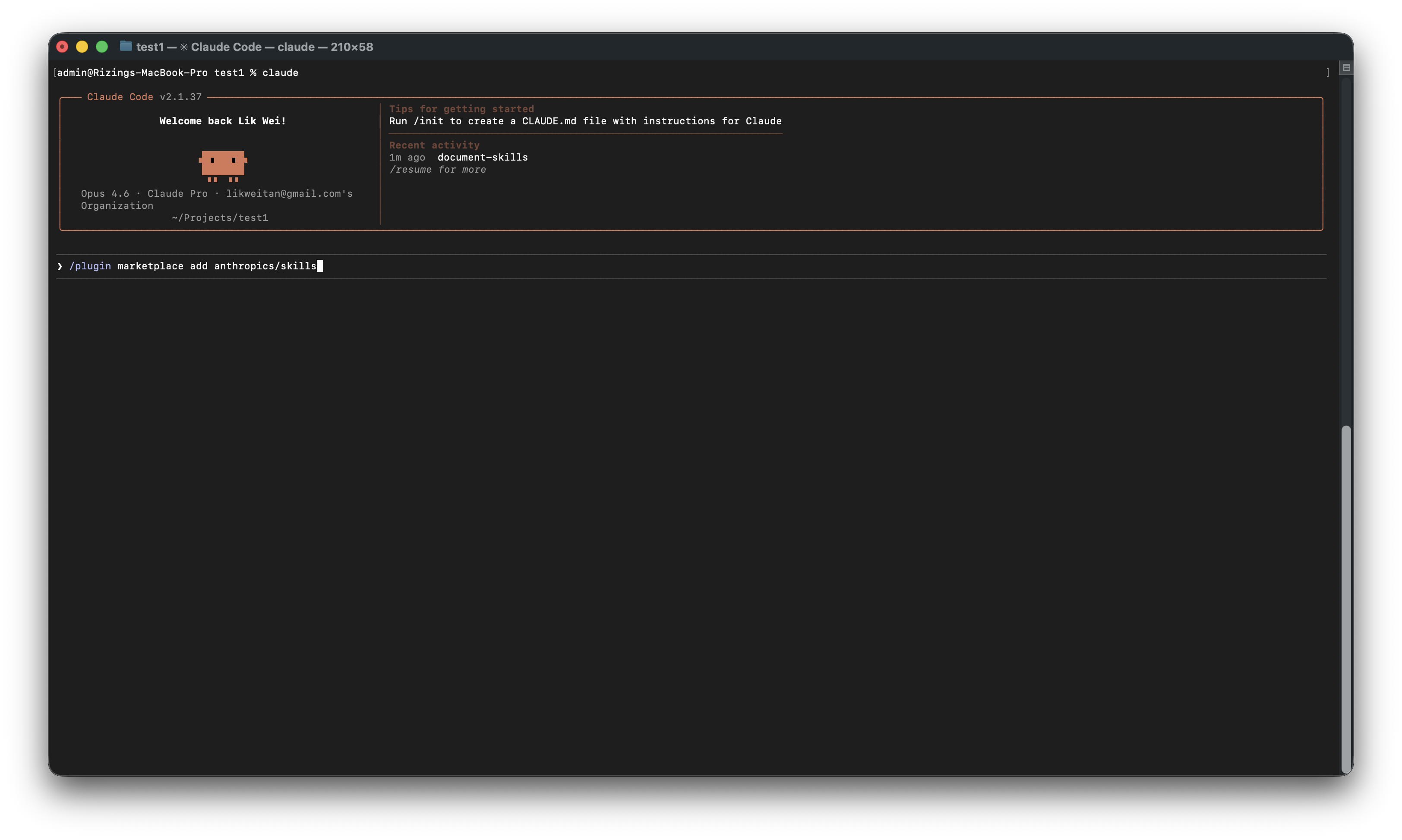
Step 4: Install ABAP Skills
ABAP Skills provides specialized capabilities for SAP development, including ADT (ABAP Development Tools) integration through the MCP protocol.
- Clone the repository:
1
git clone https://github.com/likweitan/abap-skills.git ./.claude
Step 5: Add CLAUDE.md
The CLAUDE.md file contains project-specific instructions that guide Claude’s behavior. Create this file in your project root to define your testing workflow.
1 | # AGENTS.md — SAP Fiori Unit Testing Agent |
Understanding Agent Skills
Agent Skills are essentially reusable packages of instructions or tools that extend the agent’s capabilities. They handle repetitive tasks or domain-specific logic. You can explore more skills at Claude Code Skills.
Key Skills Used
1. sap-fiori-apps-reference
Resolves Fiori App IDs to technical details like OData services and URL paths.
2. docx
Reads and writes Microsoft Word documents, essential for parsing specs and generating reports.
Business Requirement
When a user initiates the creation of a maintenance request (notification type Y1), the system must enforce that the Technical Object field is mandatory. This ensures every Y1 maintenance request is linked to a valid technical object for proper asset tracking and maintenance planning.
Download Functional Specification
Demo Walkthrough
1. Initialization
We begin in the terminal using Claude Code. After clearing the workspace, we initialize the Model Context Protocol (MCP) to connect our local Playwright environment. We verify the active skills, ensuring the agent has the necessary tools to navigate the file system and execute browser-based tasks.
2. Analysis
The agent reads the functional specification FS_Create_Maintenance_Request.docx to extract test cases. It identifies the target application—App ID F1511A—and determines the necessary SAP credentials and environment URLs. It then cross-references the AppId with local metadata to ensure the paths are correct.
3. Execution
Authentication
The agent prompts for the SAP client, language, and Fiori Launchpad URL. Once provided, Claude uses Playwright to launch a headless browser, navigates to the login screen, enters the credentials, and successfully authenticates into the SAP S/4HANA 2023 sandbox.
Test Case 001: Positive Validation
The first test verifies that the ‘Technical Object’ field becomes mandatory when notification type ‘Y1’ is selected. The agent:
- Navigates to the ‘Create Maintenance Request’ app.
- Selects ‘Y1’.
- Intentionally leaves ‘Technical Object’ blank to trigger a validation error.
- Confirms the system blocks the save.
- Enters a valid object to complete the request.
The notification is successfully created, and screenshots are captured at every step.
Test Case 002: Negative Validation & Defect Discovery
Next, we move to TC-MR-002. This is a negative test to ensure the ‘Technical Object’ field remains optional for other notification types, like ‘M1’. However, during execution, the agent discovers a UI inconsistency: while the field should be optional, the server-side validation is still throwing a mandatory error. Claude identifies this as a ‘Fail’ and notes the discrepancy between the visual indicators and the system behavior.
4. Results & Reporting
With the execution complete, Claude provides a high-level summary: one ‘Pass’ and one ‘Fail’. The agent highlights the defect found in Case 002. Finally, it compiles these results into a professional Test Results Report, including an executive summary, detailed steps, and automated screenshots.