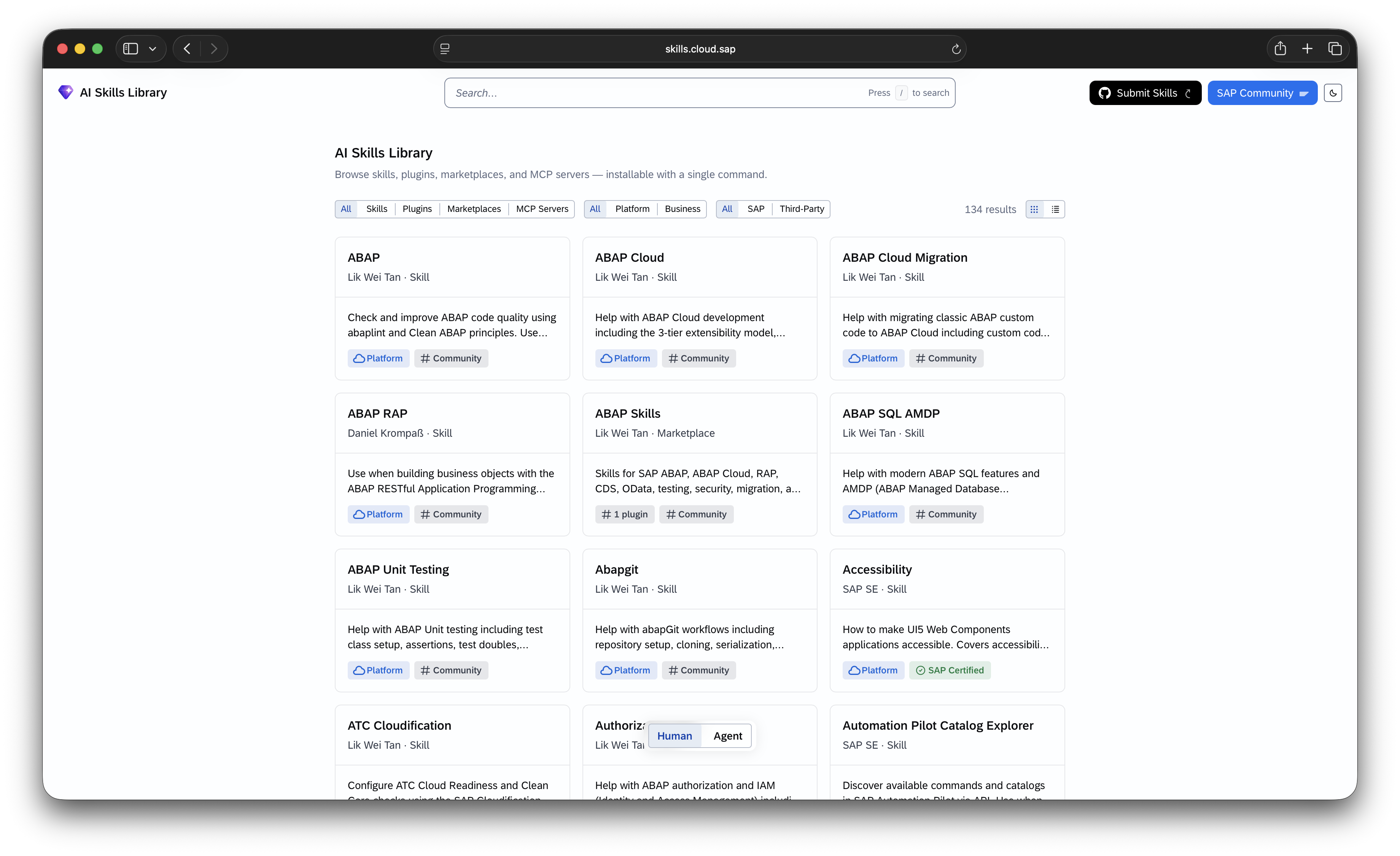
If you’ve been building “skills” for AI coding agents — the kind of reusable SKILL.md instructions that Claude Code, Copilot, Cursor, and similar tools can pick up — there’s now a central place to make them discoverable to the SAP community: SAP/ai-skills-library, which powers the public catalog at skills.cloud.sap.
It’s a “Bring Your Own Repo” Library
The most important thing to understand before you start: you don’t submit your skill code to the ai-skills-library repo at all. Your skills stay in your own public GitHub repository. The library itself is just a registry — a maintainer reviews your repo and adds a pointer to it so it shows up in the catalog.
That means the whole contribution is really two steps:
- Make sure your repository is laid out in a way the library can discover.
- Open a short GitHub issue asking to be registered.
No pull request, no code review against SAP’s repo, no build pipeline to satisfy. Let’s go through both steps.
Step 1: Structure Your Repository
Your repo needs a skills/ folder, with one subfolder per skill, each containing a SKILL.md file:
1 | your-repo/ |
The SKILL.md file needs YAML frontmatter with at least a name and a description:
1 |
|
That description field isn’t just documentation — it’s what shows up on the skills.cloud.sap listing, and it’s also what drives AI agent trigger-matching (i.e., how an agent decides when to pull this skill into context). Write it the way you’d write a good tool description: specific, and rich with the phrases a user might actually say.
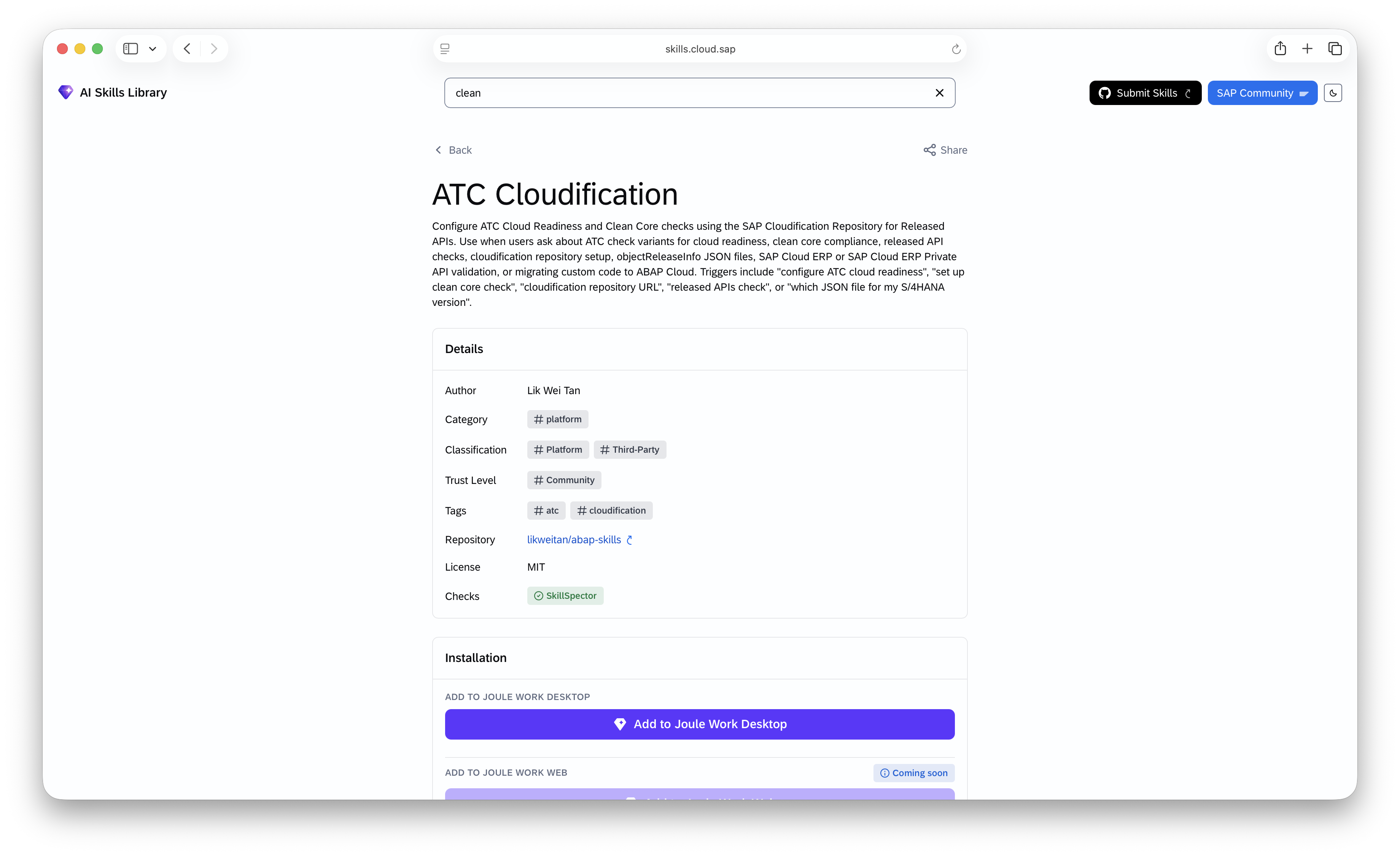
You can have as many skill folders under skills/ as you like.
Step 2: Open a “Register a New Skill” Issue
Once your repo is public and structured correctly, head to:
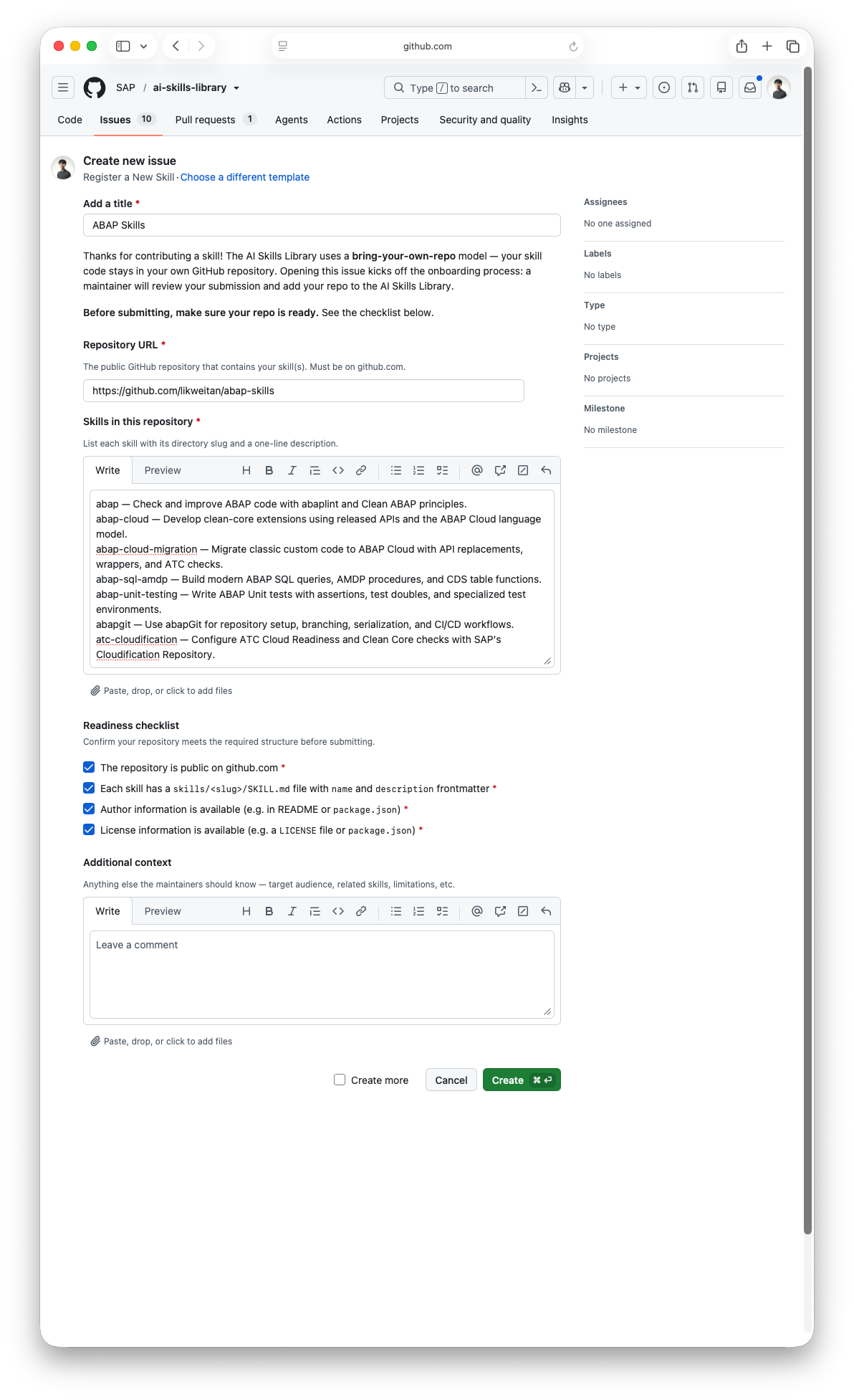
This opens a structured GitHub issue form (not a blank text box) with a few fields:
- Repository URL — the public GitHub URL of your skills repo.
- Skills in this repository — a list of each skill slug and a one-line description of what it does.
- Readiness checklist — a set of checkboxes you self-certify before submitting:
- The repository is public on github.com
- Each skill has a
skills/<slug>/SKILL.mdfile withnameanddescriptionfrontmatter - Author information is available (e.g. in README or
package.json) - License information is available (e.g. a
LICENSEfile orpackage.json)
- Additional context — optional free text for anything else the maintainers should know.
Once submitted, a maintainer reviews the issue and, if everything checks out, onboards your repo — no PR required on your end.
Example
ABAP Skills is a good template to model your own submission on. It points to the repository https://github.com/likweitan/abap-skills and lists 18 ABAP-focused skills in the exact “slug — description” format the template expects, for example:
abap— Check and improve ABAP code with abaplint and Clean ABAP principles.abap-cloud— Develop clean-core extensions using released APIs and the ABAP Cloud language model.rap— Build RAP business objects with behavior definitions, EML, draft, and save handling.clean-abap— Review ABAP code for compliance with Clean ABAP principles and best practices.abapgit— Use abapGit for repository setup, branching, serialization, and CI/CD workflows.
Covering everything from OData services to BTP architecture diagram generation. Notice the pattern in each line: skill slug, an em dash, then a short, imperative, trigger-rich description — exactly the phrasing style the library wants.
All four readiness checklist boxes are ticked, and the issue was accepted and closed after maintainer review — a clean example of the process working as intended.
Governance Basics to Know Before You Submit
A few housekeeping points from the CONTRIBUTING.md that are easy to overlook:
- All contributions must be licensed under Apache 2.0.
- If you ever open a pull request against the repo (e.g., for a skill improvement), you’ll be asked to accept a Developer Certificate of Origin (DCO) — handled automatically during submission.
- If you used AI tools to help generate your skill content, it must follow SAP’s guidelines on AI-generated code.
- All participants are expected to follow the SAP Open Source Code of Conduct.